Circuit Scene Studio / Original editable display scenes
Make room.
For your work.
A transparent structure. A considered light. Space for your own image.
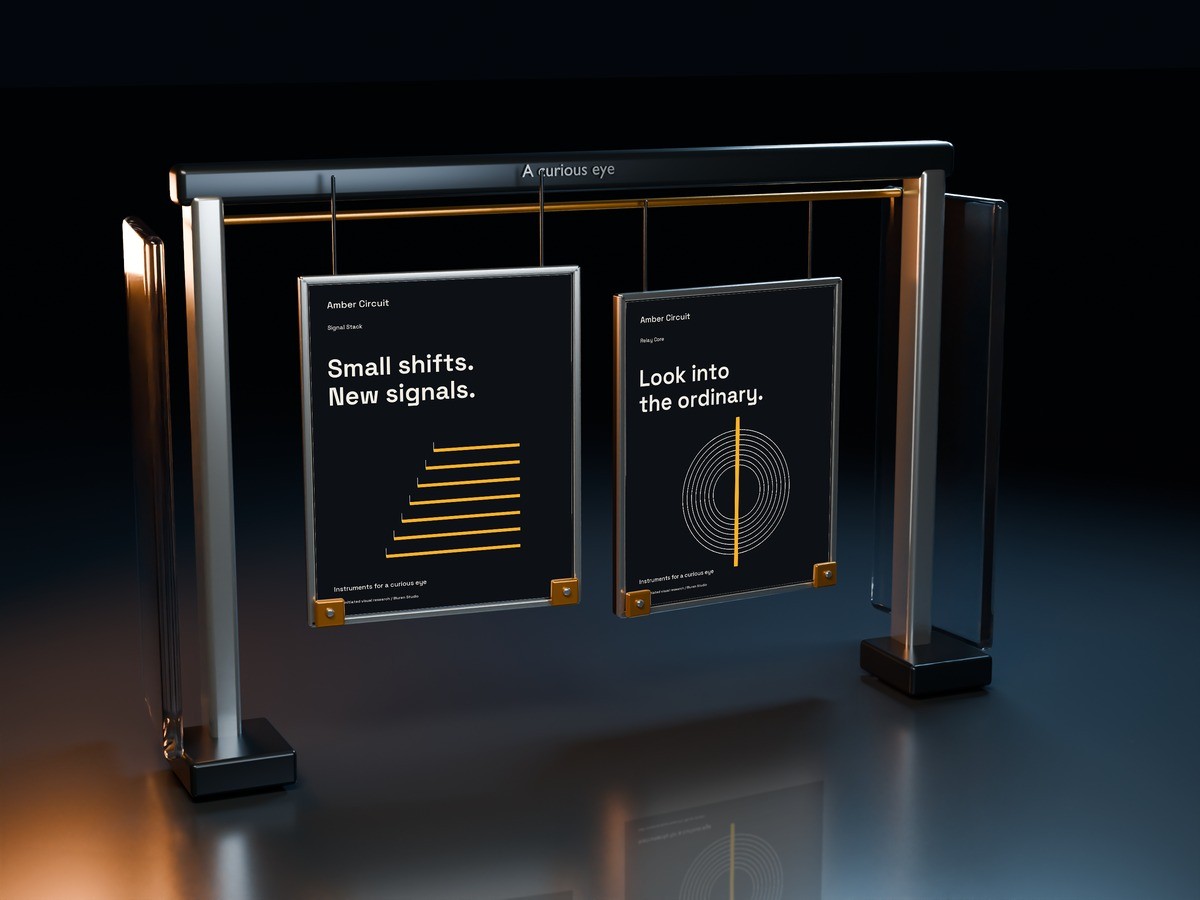
01 / FOUR SPACES, TWO POINTS OF VIEW
The structure changes.
Your image stays yours.
Eight finished views from four original environments. The two cameras in each space share the same editable artwork.
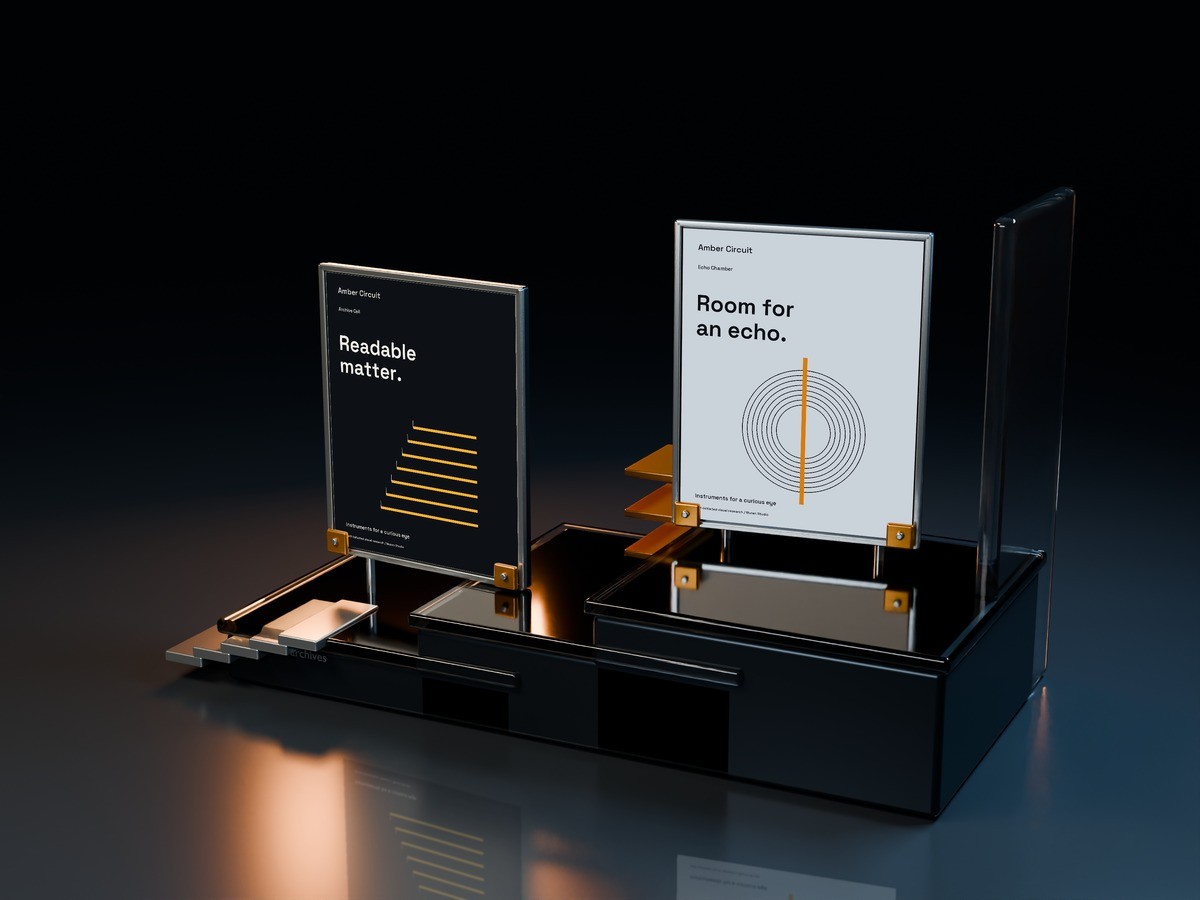
Paired portrait compositions rise above clear stepped shelves.
The gallery shows finished compositions. Try image replacement in the working sample below.
02 / PUT YOUR IMAGE IN THE SCENE
Replace the print.
Keep the perspective.
Try a real, limited-resolution Signal Plinth scene. Your image remains behind the front clips and appears in its own reflection layer.
Your artwork, in place.
Choose a surface. Add a PNG, JPEG or WebP image up to 12 MB and 16 megapixels.
Crop, paper and reflection
Choose a surface and replace its image to try the scene.
This browser sample combines your camera-projected image with an original rendered environment. A visible-paper mask keeps the real front clips in place; a separate projected image creates the artwork reflection. It does not recalculate physical lighting or provide a live 3D orbit. The purchase includes the full-size local editor and native Blender scenes.
03 / THE COMPLETE HANDOVER
Four original spaces.
Eight real places for an image.
Eight full-size views
Four environments with two independent camera views each. Export a 3000 × 2250 PNG from the included offline editor.
Eight independent artworks
Two physical image surfaces per environment. Change either print and carry its artwork, crop and focus into the second view.
Foreground and reflection
Actual camera projection, visible-face masks and separate artwork reflection layers keep each surface connected to its space.
LOCAL EDITOR
Replace, compose, export.
PNG, JPEG or WebP replacement. Image fit, focal points, zoom, paper color and reflection strength. Save and reopen all eight artwork settings as a project JSON.
NATIVE BLENDER
Go back to the geometry.
Four .blend files contain editable supports, frames, materials, lighting, packed sample image textures and two cameras. Rerender when you want to change the space itself.
Also included: original editable SVG sample compositions with PNG versions, finished scene examples, font files and OFL notices, source, a practical editing guide and a multi-project license.
BEFORE YOU BUILD
Choose the edit
that you need.
Do I need Blender to replace a picture?
The included local editor replaces images and exports the finished scene in your browser. Blender is needed only for changes to geometry, materials, cameras or lighting followed by a new native render.
What changes between the two camera views?
The camera position and visible perspective change. The physical artwork IDs remain the same, so the local editor applies your saved image settings to both views of that environment.
Can I use these for paid client work?
The included license allows multiple completed personal, commercial and client projects. Reselling or redistributing the source library, sample artwork or purchase as a separate asset product is restricted.
Do I need the Campaign or Motion product?
This purchase includes its own sample artwork, fonts, editor and guides. Other Amber Circuit products are optional. Changes made in Blender, the local editor and other applications do not synchronize automatically.
One product / US$12 once
Give the work a setting
worth looking into.
Original spatial studies by Wuren Studio. Artwork previews belong to the fictional Amber Circuit design laboratory.
Wuren Studio. Digital goods with a point of view.
Paid orders and delivery are handled by Lemon Squeezy.
For order or product issues, use the seller contact shown on your receipt.